Uploading correctly sized images helps ensure your photos display clearly on the Foodja marketplace. Resizing photos before uploading can reduce processing issues and help maintain a consistent experience across all menus.
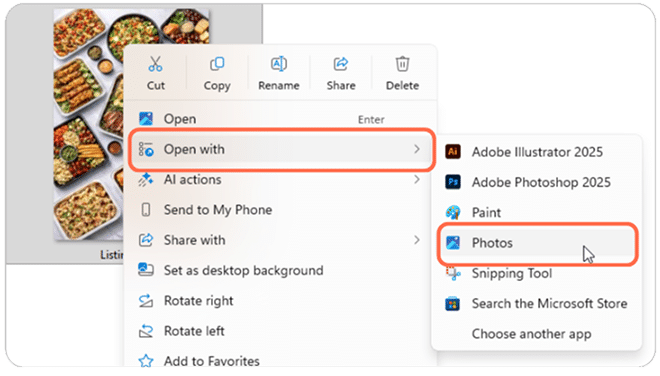
Locate your desired image on your computer & open with Photos
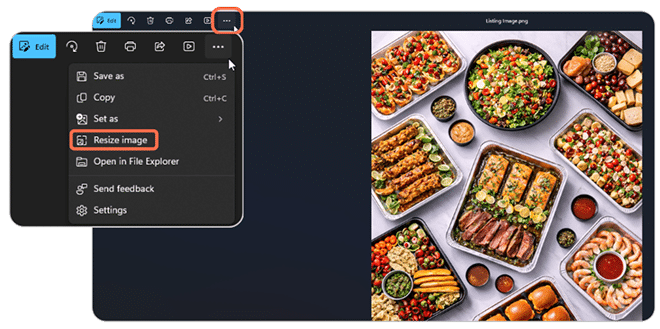
In the Photos App, click the three dot icon & select Resize Image
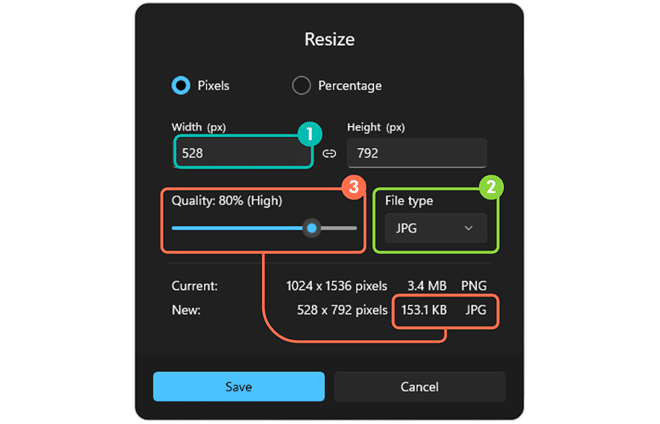
Select the smaller dimension and change it to the appropriate size
Make sure the file type is JPG or PNG & select Save
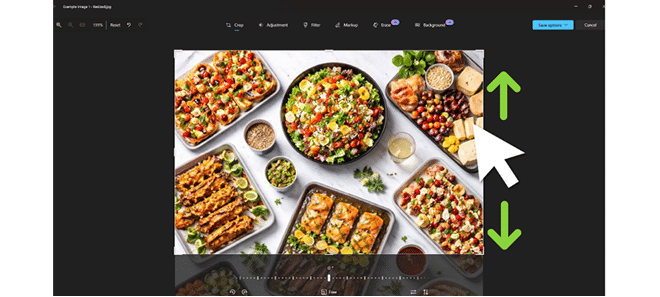
Select the Edit button & crop the larger dimension to the appropriate size