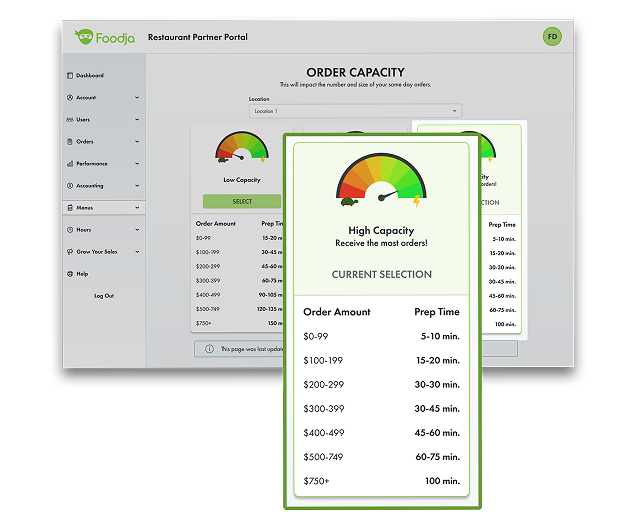
Order Capacity reflects how many orders your restaurant can handle and how much time is needed to prepare them. It helps set expectations for both order volume and prep time based on you team’s availability.
Why It Matters
Higher availability can increase your restaurant’s visibility to customers placing orders. Setting accurate capacity ensures your team has enough time to prepare orders while helping you capture more opportunities.
Best Practice
Select the highest capacity your team can consistently support. This helps maximize visibility while maintaining reliable prep times and a smooth customer experience.
How It Works
Low Capacity allows for longer prep times, but fewer orders High Capacity means shorter prep times and increased visibility